I Bought a Travel Router So My Devices Never Have to Join Public Wi-Fi
A small network I can take with me
At home, I have become used to having control over my own network.
I know which router my devices are talking to, which DNS server they use, how the network is segmented and what sits between my devices and the internet. The moment I leave home, most of that disappears. A hotel, café or holiday rental gives me a Wi-Fi network and I simply have to accept whatever is behind it.
I wanted to change that.
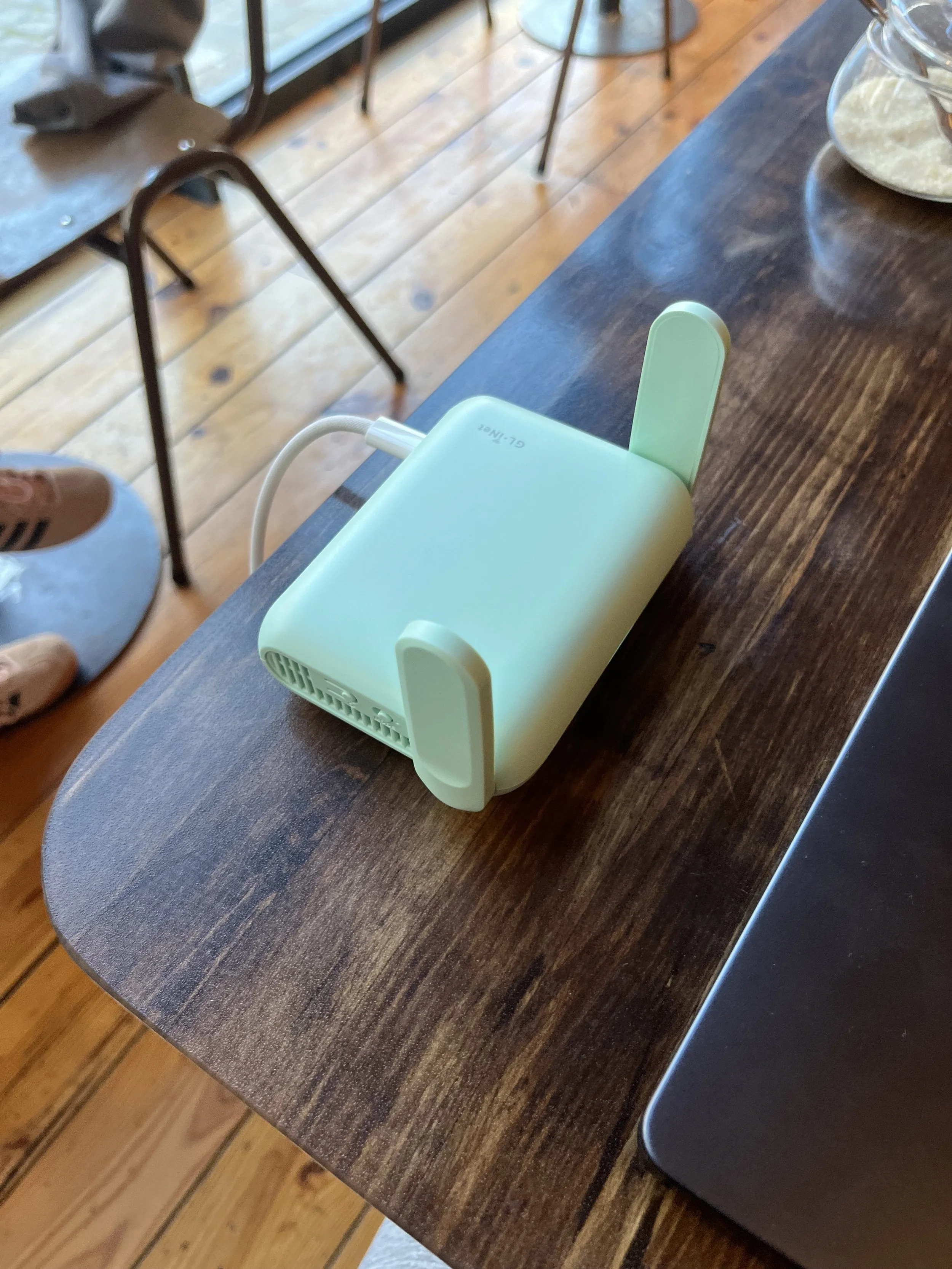
That is why I bought a GL.iNet Beryl 7, a small travel router that I can carry together with my laptop and chargers. Its purpose is simple: instead of connecting all my devices directly to whatever network happens to be available, I connect the Beryl to that network and keep my own devices behind it.
The external network can change every day. My own network does not.
Setting it up before I needed it
I did not want my first experience with the router to happen late at night in a hotel while trying to understand a captive portal. So I configured everything at home first.
The Beryl has its own trusted Wi-Fi networks for my devices and runs a separate local subnet. When it uses another Wi-Fi network as its internet connection, it operates as an actual router rather than simply extending that network. It handles routing, NAT, DHCP and firewalling for the devices behind it.
I also configured AdGuard Home on the router, with Quad9 over DNS-over-HTTPS upstream. This gives me the same DNS filtering wherever the router is being used. I created a separate guest network as well, so that another device can have internet access without being able to reach my own trusted devices or the upstream private network. I tested that isolation with an iPhone before considering the setup ready for travel.
The router can use Ethernet when it is available, but it can also connect to an existing Wi-Fi network in repeater mode. That second option is particularly useful in cafés and hotels where Wi-Fi may be the only practical uplink.
The goal was not to configure every feature the router offers. I mainly wanted a setup that was predictable enough that I could take it out of my bag, give it an internet connection and continue using my own little network.
The first real test
A little while later, I finally took it somewhere for the reason I had actually bought it. I was sitting in a café with public Wi-Fi.
The café happened to use a UniFi guest network, complete with a captive portal that had to be accepted before internet access was granted.
Normally, I would have connected my iPhone, MacBook and any other device I wanted to use directly to that guest network. This time, only the Beryl had to deal with it.
I selected the café Wi-Fi as the Beryl's upstream connection. The router detected that a login page was required and presented me with the link. I opened it on my iPhone, completed the UniFi approval page and a few moments later the Beryl had internet access.
Then something happened that was technically very ordinary, but felt surprisingly satisfying. All of my devices simply continued using my own Beryl Wi-Fi.
My MacBook did not need to know anything about the café network. Neither did my other devices. They were still connected to the same SSID they already knew and were still receiving their local network configuration from my router.
The café Wi-Fi had effectively become nothing more than an internet connection for my portable LAN.
Captive portals are the awkward part
Public Wi-Fi often adds an extra complication: the captive portal.
A router can successfully associate with the access point and receive an IP address while the network still refuses normal internet traffic until somebody accepts a web page.
The Beryl is designed to deal with this. I prepared its Public Hotspot Login Mode for exactly that situation, although I deliberately do not leave the automatic mode enabled all the time. During some captive-portal logins, custom DNS, AdGuard or VPN behaviour may need to get out of the way temporarily so that the hotspot's own login page can work correctly. Once authentication is complete, the normal configuration can be used again.
That is the kind of detail I preferred understanding at home rather than discovering while travelling.
Why I like it so much
A travel router is not necessary. My MacBook and iPhone are perfectly capable of connecting to public Wi-Fi on their own. What I like is the consistency it gives me.
I can arrive somewhere completely new and still have the same trusted Wi-Fi, the same local subnet, the same DNS filtering and the same separation between my devices and the network around me. The router has also become a safe place to experiment with networking concepts such as OpenWrt, DNS, routing, VPNs and failover without touching my production network at home.
It is a tiny piece of hardware, but it gives me something I have come to appreciate a lot since getting deeper into networking:
a network boundary that I control, even when the network around me is not mine.
The first time I used it in that café, everything worked exactly as I had hoped.
I packed a router in my laptop bag, connected it to somebody else's Wi-Fi, and within a few minutes I had my own little network with me.
That made me disproportionately happy.